Privacy Notice
SRCC (Sligo Rape Crisis Centre, covering Sligo, Leitrim and Cavan) respects your privacy and is committed to complying with the General Data Protection Regulation and Data Protection Acts of 1988 – 2018 and have published this guide to outline the information we collect about you, how and why we use the information and the choices you have to restrict our usage of this information. Ensuring the privacy and security of your personal data is very important to us. Please read the following carefully together with our Terms and Conditions as it contains important information about how we collect and use your personal data and how we will treat it.
What data do we collect?
SRCC collects the following data:
- Personal identification information (Name, email address, phone number, address, etc.)
- If you contact us, we may keep a record of that correspondence.
- We may also ask you to complete surveys that we use for research purposes, although you do not have to respond.
- Details of your visits to our site and the resources you access.
- Information that you provide when you interact with us on social media or when you click on an ad that we put on our site or on someone else’s website
How do we collect your data?
You directly provide SRCC with most of the data we collect. We collect data and process data when you:
- Contact us via forms on our website, phone calls or emails.
- Voluntarily complete a customer survey or provide feedback on any of our message boards or via email.
- Use or view our website via your browser’s cookies.
How will we use your data?
SRCC collects your data so that we can:
- Reply to queries.
- Process your booking.
- Email you with special offers on other products and services we think you might like.
If you agree, SRCC will share your data with our partner companies so that they may offer you their products and services.
When SRCC processes your order, it may send your data to, and also use the resulting information from, credit reference agencies to prevent fraudulent purchases.
How do we store your data?
SRCC securely stores your data at our offices.
SRCC will keep your contact information for 12 months. Once this time period has expired, we will delete your data.
Service Providers
We may employ third-party companies and individuals due to the following reasons:
- To facilitate our service;
- To provide the service on our behalf;
- To perform related services; or
- To assist us in analysing how our Service is used.
We want to inform our service users that these third parties have access to your Personal Information. The reason is to perform the tasks assigned to them on our behalf. However, they are obligated not to disclose or use the information for any other purpose.
Children’s Privacy
Our services address the needs of children under the age of 13. We do not knowingly collect personal identifiable information from children under 13. In the case that we discover that a child under 13 has provided us with personal information, we immediately delete this from our servers. If you are a parent or guardian and you are aware that your child has provided us with personal information, please contact us so that we will be able to do necessary actions.
Marketing
SRCC would like to send you information about offers and services of ours that we think you might like, as well as those of our partner companies.
If you have agreed to receive marketing, you may always opt out at a later date.
You have the right at any time to stop SRCC from contacting you for marketing purposes or giving your data to other members of the SRCC Group.
What are your data protection rights?
SRCC would like to make sure you are fully aware of all of your data protection rights. Every user is entitled to the following:
The right to access – You have the right to request SRCC for copies of your personal data. We may charge you a small fee for this service.
The right to rectification – You have the right to request that SRCC correct any information you believe is inaccurate. You also have the right to request SRCC to complete the information you believe is incomplete.
The right to erasure – You have the right to request that SRCC erase your personal data, under certain conditions.
The right to restrict processing – You have the right to request that SRCC restrict the processing of your personal data, under certain conditions.
The right to object to processing – You have the right to object to SRCC’s processing of your personal data, under certain conditions.
The right to data portability – You have the right to request that SRCC transfer the data that we have collected to another organization, or directly to you, under certain conditions.
If you make a request, we have one month to respond to you. If you would like to exercise any of these rights, please contact us via our details below.
Cookies
A cookie is a small text file that a website saves on your computer or mobile device when you visit the site. It enables the website to remember your actions and preferences (such as login, language, font size and other display preferences) over a period of time, so you don’t have to keep re-entering them whenever you come back to the site or browse from one page to another.
For further information, visit allaboutcookies.org.
How do we use cookies?
SRCC uses cookies in a range of ways to improve your experience on our website, including:
Session Cookie:
This session cookie allows us to know you are the same person when you move from one page to the next, for both users who are logged in and also for some users who have not logged-in.
Third-Party Cookies:
We use suppliers who also set cookies on behalf of our website to provide certain features on the website and help us to review how our customers usage of the website, details of which we have included below along with links to their respective privacy policies which will detail how these suppliers use data they collect in more detail.
Google Analytics:
We use Google Analytics to determine how popular parts of our website are, to determine if you have been to the website before, and to securely and anonymously record the value of any purchases you make on our website. Google analytics sets cookies which will stay active for a number of years and identify on your computer that you have visited our website.
These cookies can be identified by their prefix of __u…. You can opt out of being tracked by Google Analytics across all websites you visit by installing a browser plugin like this one http://tools.google.com/dlpage/gaoptout?hl=en.
If you just want to find out more information about Google’s privacy policy, then please click here http://www.google.com/intl/en/analytics/privacyoverview.html.
What types of cookies do we use?
There are a number of different types of cookies, however, our website uses:
- Functionality – SRCC uses these cookies so that we recognise you on our website and remember your previously selected preferences. These could include what language you prefer and location you are in. A mix of first-party and third-party cookies are used.
- Advertising – SRCC uses these cookies to collect information about your visit to our website, the content you viewed, the links you followed and information about your browser, device, and your IP address. SRCC sometimes shares some limited aspects of this data with third parties for advertising purposes. We may also share online data collected through cookies with our advertising partners. This means that when you visit another website, you may be shown advertising based on your browsing patterns on our website.
How to manage cookies
You can set your browser not to accept cookies, and the above website tells you how to remove cookies from your browser. However, in a few cases, some of our website features may not function as a result.
Privacy policies of other websites
The SRCC website contains links to other websites. Our privacy policy applies only to our website, so if you click on a link to another website, you should read their privacy policy.
Changes to our privacy policy
SRCC keeps its privacy policy under regular review and places any updates on this web page. This privacy policy was last updated on 9 July 2021.
How to contact us
If you have any questions about SRCC’s privacy policy, the data we hold on you, or you would like to exercise one of your data protection rights, please do not hesitate to contact us.
Email us at: info@srcc.ie
Call us at:
Or write to us:
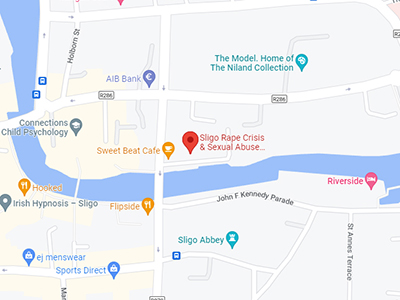
SRCC, Kempten House, Kempten Parade, Sligo, F91 DP74.
Business phone: +353 (0) 71 91 71188